
Disclaimer: Bronwen, AKA your resident reviewer of all things fun and novelty, was offered a sample of the Pad Creator Instant Print Tablet in exchange for a review. And since she’d already had so much fun with the Photo Creator Retro Camera, how could she say no?
I can’t lie, I was intrigued by the offer of the Pad Creator Instant Print Tablet; it looked like a lot of fun. As an artist who isn’t exactly in the target age range for this product – but who knows a child in her family who would be absolutely perfect for it – I saw it as my duty to take on this challenge!
Unboxing
Of course, as most reviews go these days, I had to begin by opening the pretty box and sizing up its contents. The pad itself feels chunky and sturdy in my hands – like it could probably withstand a drop of two, which is good for the target age range of 8+.

The stylus feels premium, and the device comes with four rolls of paper for printing whatever bonkers designs you choose to come up with – plus, there’s a delicious set of stickers you can further decorate with. The instructions look fairly simple, so let’s get going – oh, but after it’s fully charged, that is!

Setup
The device powers up with a slightly jarring high-pitched tune, and before I could have any fun, I had to first set up some security stuff – which is reassuring when you consider this is a device for kids. I set up a parental password, and some security questions to go with it.
There wasn’t too much time wasted going through the security rigmarole, and I think for anyone who has a child, they will tell you it’s absolutely worth it. It didn’t take me long until I was able to start playing with some of the fun visual tools.
But first… I had to take some photos!
Camera
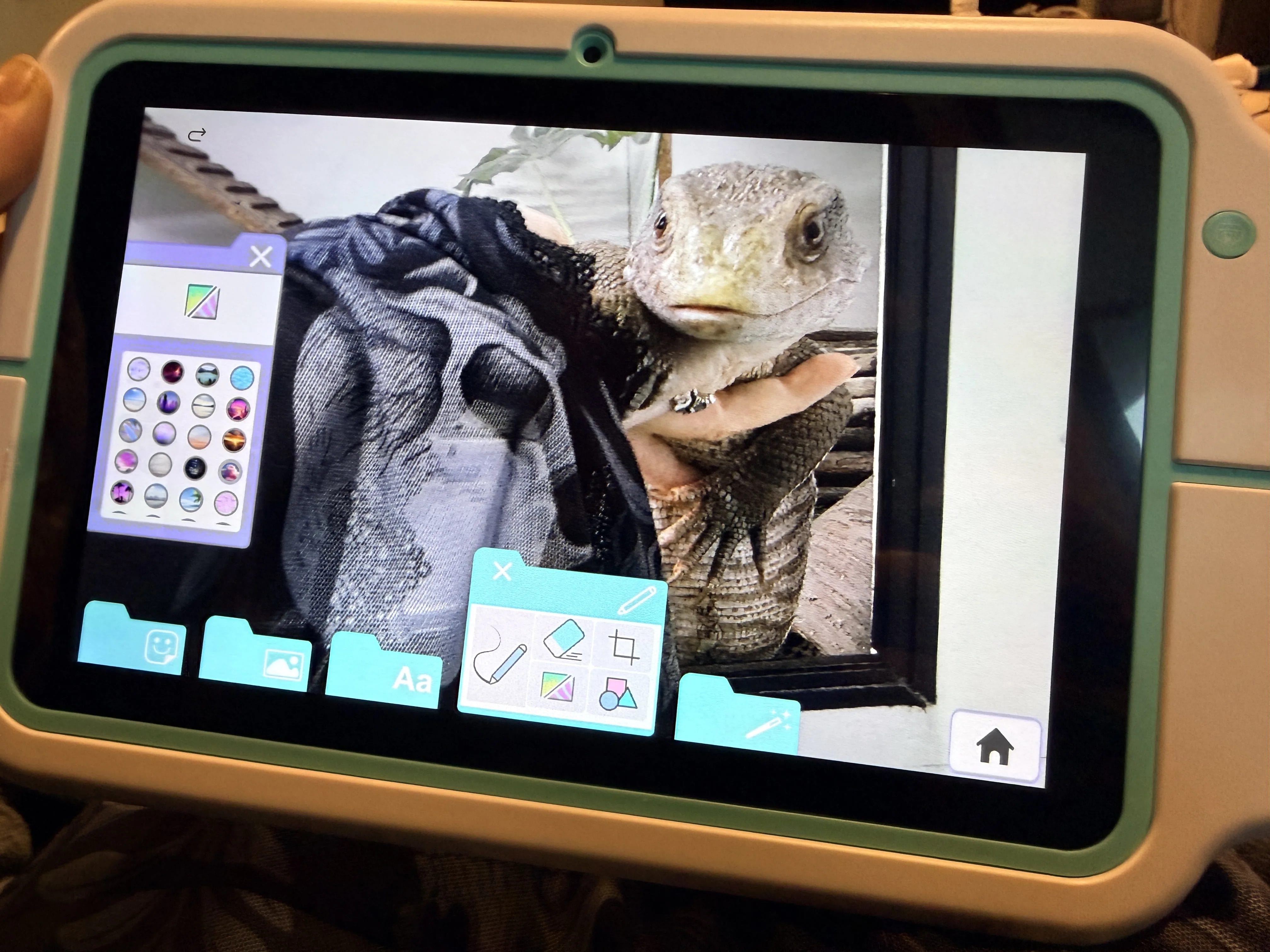
Aside from a selfie (which you’ll see soon), one of the first images I took was of Darwin, my pet monitor lizard. The camera isn’t the kind of quality you might find on the latest smartphone, but it’s good enough for you to take clear shots – even if your subject is wriggling around a little.
Immediately after taking this shot, I opened up the image editor and began playing around with some of the backgrounds, filters and stickers.
With an impressive 32GB of storage and 2GB of RAM, you’ll be able to store photos and videos on this pad without the need for an additional SD card – although, the option is there if you want additional storage.
Visual editing
Once you open up the image editor, you probably want to be using the stylus that comes with the tablet. It’s a neat-looking stylus that’s got a rubber tip so you won’t accidentally scratch the device – however, it did take me a few minutes to figure out that you need to click down the top to switch it on. Silly me!
From there, you can select a background and begin to do things like erase the areas of your original photo you don’t want. I took this photo of Murdo, my husband, getting a bit creative with it!

As you can see, it started to take shape quite quickly!
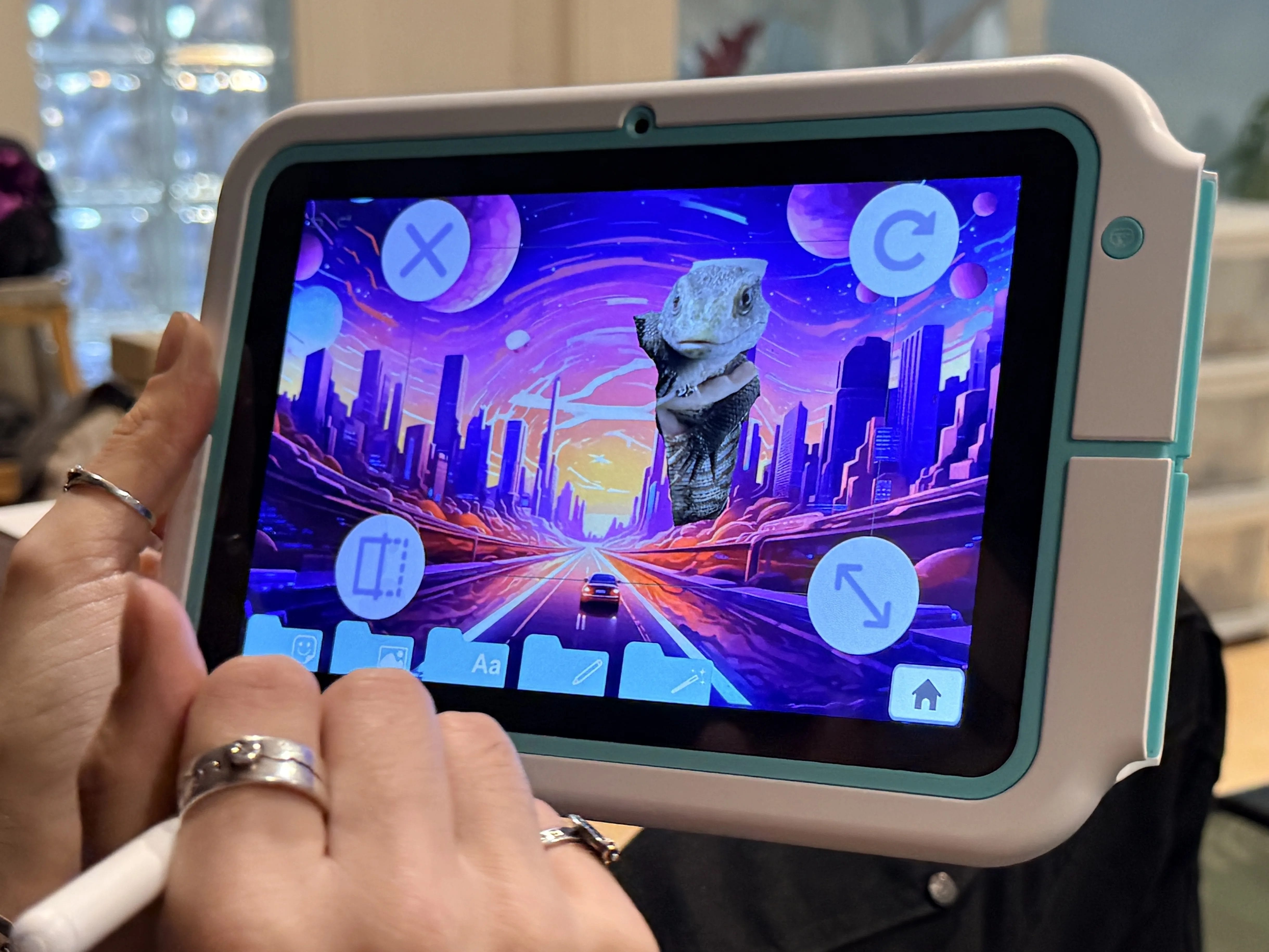
You can also insert other photos you’ve taken, and other elements such as stickers! What Murdo created next is nothing short of a masterpiece, so of course we had to print a copy to test out the printer! Not to mention a VIP ticket template to really push the boat out.
And there it is; my selfie I took earlier.

Printer
The thermal printer was easy enough to set up, although I think the first thing we printed (the VIP pass) didn’t turn out that great – maybe because it was the first thing to come off the roll. The next print turned out much better, although you can see a lot of the detail is lost – especially on Darwin!
I’m not sure what we expected. Due to the nature of the printer, all the prints will be black and white, and in this sort of style – but there’s nothing to stop you colouring them in yourself, or adding some stickers to brighten them up a bit!
Web browser
Interestingly, the Pad Creator comes with a web browser – specifically suited for kids. Just to be prudent, I had a quick play about with this to check just how safe it is for 8-year-old kids to be browsing, and found it to be very safe indeed. If you search for anything inappropriate, you’re simply told there are no results.
Private diary
I didn’t do much with the private diary aspect of the tablet, but it seems like another fun element for kids to use to get the most out of their tablet and encourage some writing. It’s password protected, so it feels like a secret, secure thing that kids will perhaps want to use.
To sum it up…
I had a blast trying out the Pad Creator Instant Print Tablet, and can see it being a fun tool for kids as an early introduction to tablets. It has a wide range of uses, and being able to print things off instantly is so much fun!
I’m going to pass this device onto someone who’s about to appreciate it a whole lot more than me, and feel confident doing so.
What do you think of Bronwen’s review of the Pad Creator Instant Print Tablet? Do you know anyone who might want to try it out for themselves? Comment below.



